Communicating well inside Microsoft 365 is rarely a tooling problem. It’s a thinking one.
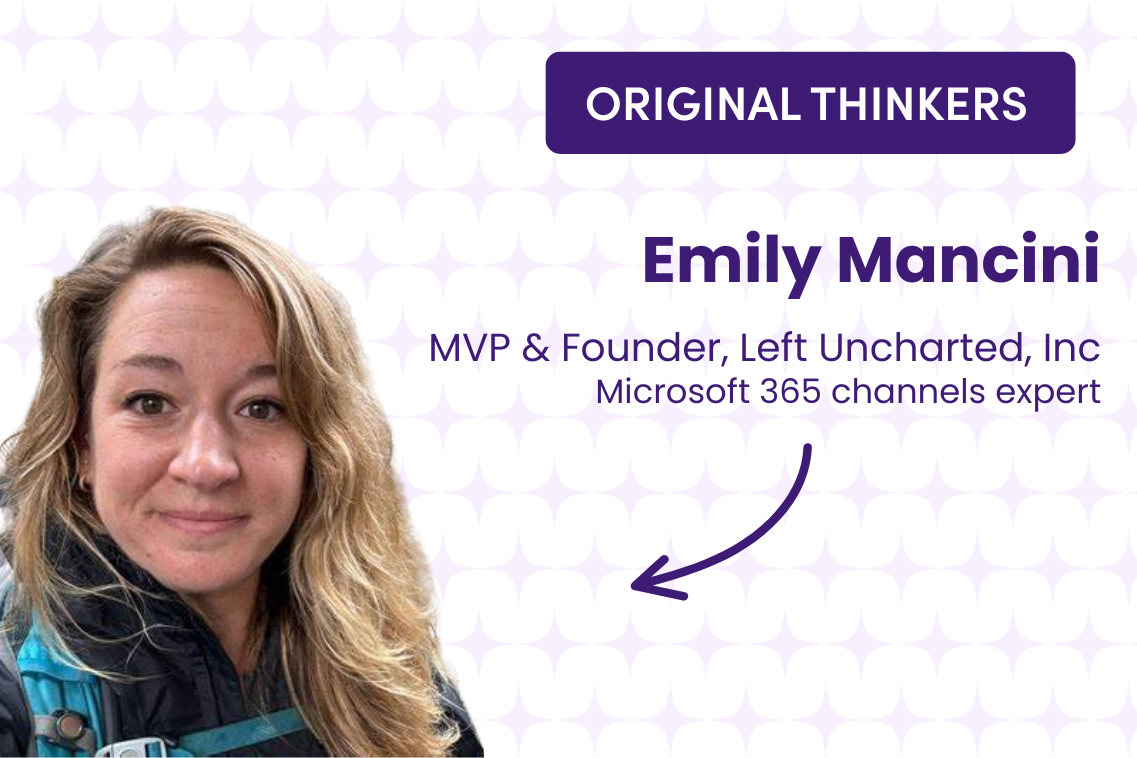
I met Emily Mancini at ESPC in Dublin, where she was speaking about communication, collaboration and user research inside Microsoft 365. Her session — and the conversations around it — reflected a challenge we see repeatedly across organisations: teams have more channels than ever, yet clarity still feels hard to achieve.
That challenge feels sharper now as AI and Copilot tools become more visible inside Microsoft 365. Communication teams are under growing pressure to “do more” — faster, smarter, and at scale — often before they’ve had the chance to step back and clarify how communication should work in the first place.
Emily is a Microsoft MVP, consultant and long-standing voice in the Microsoft 365 community. Her work focuses on helping organisations understand not just what they want to communicate, but why they’re communicating it — and what they want people to do next.
In our Original Thinkers interview, the Executive Director & Founder of Left Uncharted spoke about one of the most persistent challenges organisations face today: how to communicate effectively inside Microsoft 365 without overwhelming people, misusing channels, or defaulting to broadcast over engagement.
What follows is a conversation about clarity, outcomes and why information overload is so often mistaken for channel overload.
Juliet Stott (JS): What’s the core problem you see inside organisations when it comes to communicating with in Microsoft 365?
Emily Mancini (EM): Most organisations think they have a channel problem. They don’t.
What they actually have is an information burden problem. People are receiving messages without understanding what they’re meant to do with them. There’s too much cognitive effort required just to work out whether something is relevant, urgent or actionable.
Over time, that doesn’t just slow people down — it erodes trust in internal communication altogether. People stop engaging, not because they don’t care, but because it feels too hard to work out what matters.
We all juggle multiple communication channels in our personal lives and manage that just fine. At work, the issue isn’t where information lives. It’s that messages often lack clarity around audience, intent and outcome.
Before choosing a channel, organisations need to ask some basic questions: who is this for, what do they need, and what should happen next?
JS: If you had to describe the ‘superpower’ of each Microsoft 365 communication tool, how would you explain them to a time-poor comms lead?
EM: Each channel has strengths — but they’re often misunderstood.
Teams is best for collaboration and action. It’s where work happens in the moment. Messages are timely, conversational and usually short-lived.
SharePoint is where longer-form, durable content belongs. It’s ideal for context, depth and information people may need to return to over time.
Email still excels at reach. Everyone checks it. But it works best as a signpost, not a container for detailed content.
Viva Engage lowers the barrier to participation. It’s more informal and encourages discussion and perspective-sharing in a way that feels safer than commenting on a permanent page.
The mistake organisations make is treating all channels as interchangeable.
They’re not.
Each one sets expectations about tone, permanence and behaviour — whether we consciously realise it or not.
JS: Where do organisations most often use the wrong channel for messaging?
EM: The classic mismatch is using fast-moving channels like email or Teams for content that really belongs in SharePoint.
Policies, long explanations or anything people might need to revisit later shouldn’t live in places designed for immediacy. Equally, pushing urgent or action-oriented messages into passive spaces creates confusion.
Often, this happens because teams start with the channel rather than the outcome. Once you define what you’re trying to achieve — inform, prompt action, invite discussion — the right channel usually becomes obvious.
This is also where comms teams can add the most value, not just by publishing messages, but by acting as editors — helping teams decide whether something needs communicating at all, or whether it needs simplifying first.
JS: For comms leaders who worry about “channel overload”, what’s your go-to way of helping them simplify?
EM: By reframing the problem.
Channel overload is rarely the issue.It is really about Information burden. Information burden is what happens when employee communication becomes so dense or complicated that it requires more energy to decode the messages, adding to this cognitive burden.
When people understand why they’re receiving a message and what’s expected of them, the number of channels matters far less.
I encourage teams to use simple user-needs thinking: who is this for, what do they need, and what should happen as a result?
That framing naturally leads to better decisions — fewer messages, clearer intent, and less pressure to communicate everything to everyone. Often, the most helpful thing a comms team can do is help teams pause, edit or not publish at all.
JS: When comms teams want to foster ongoing engagement, not just broadcast information, what makes the biggest difference?
EM: Asking employees instead of guessing.
Too many engagement initiatives start with leaders in a room deciding how to engage employees — without involving employees themselves. That usually leads to broadcast-heavy approaches that miss the mark.
User research makes a big difference here. Interviews, workshops and surveys don’t just surface insights — they build trust. People feel heard, and that changes how they respond reminding them that communication isn’t something being done to them.
At that point, communication becomes part of change management, not a separate activity. Engagement improves when communication is collaborative rather than performative.
JS: What role do you think AI will realistically play in internal communication?
EM: AI is most useful when it supports thinking, not when it tries to replace it.
Right now, there’s a risk of organisations rolling out AI tools simply because they feel they should, rather than because they’ve identified a clear problem to solve. That can add to the sense of overload rather than reducing it.
Where AI genuinely helps is in supporting people who need to communicate but don’t see themselves as communicators — for example, subject-matter experts. Tools that help clarify audience, intent or tone before something is published can be incredibly valuable.
We’re still a long way from autonomous agents delivering internal communications end-to-end. Communication requires judgement, nuance and context — and that remains human work.
AI should augment strengths, not pretend to replace them.
Where clarity really comes from
Good communication inside Microsoft 365 isn’t about mastering every tool.
It’s about slowing down just enough to be intentional — understanding your audience, defining your outcome, and choosing the channel that supports both.
When organisations do that, complexity reduces, engagement improves, and communication starts to feel purposeful rather than overwhelming.
About Emily Mancini
Emily Mancini is a Microsoft MVP and independent consultant specialising in communication, collaboration and user research across Microsoft 365. She works with organisations to help them get more value from their existing tools, with a strong focus on change management and human-centred design.
How to connect with Emily
You can connect with Emily on LinkedIn, where she writes and engages openly on internal communication, user research and practical change.
Fancy getting involved in M365 Miami?
The event is run by Emily Mancini who coordinates this 100% community‑led Microsoft 365 conference in downtown Miami. Expect a brilliant line‑up of Microsoft speakers, MVPs, international experts, and the wider M365 community, all coming together for a free day of learning, collaboration and inspiration.
If you’d like to sponsor the 2026 event, support the community, and get your brand in front of hundreds of engaged attendees, you can get in touch with Emily directly at [email protected] or explore the sponsorship options.
Read other articles by Juliet Stott and connect with her on LinkedIn


